Drawing all of London as one image
tiny.london is an isometric pixel-art map of all of Greater London: 1,591 km² and about 14 billion pixels. Instead of drawing it tile by tile and hiding the seams, I denoised the whole city as one image, so there was nowhere for a seam to form. Here is how it was made, what went wrong, and how long it took.
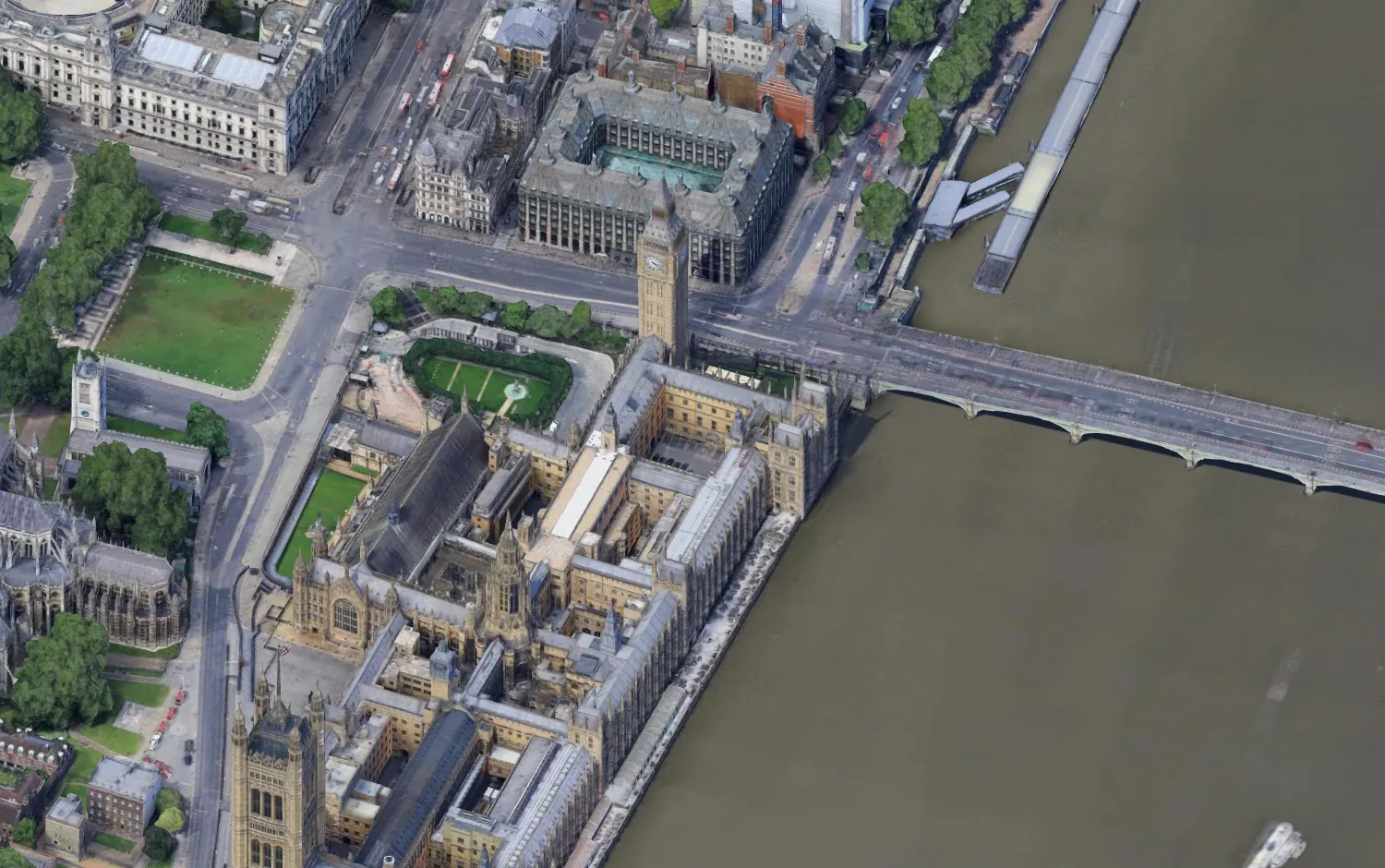
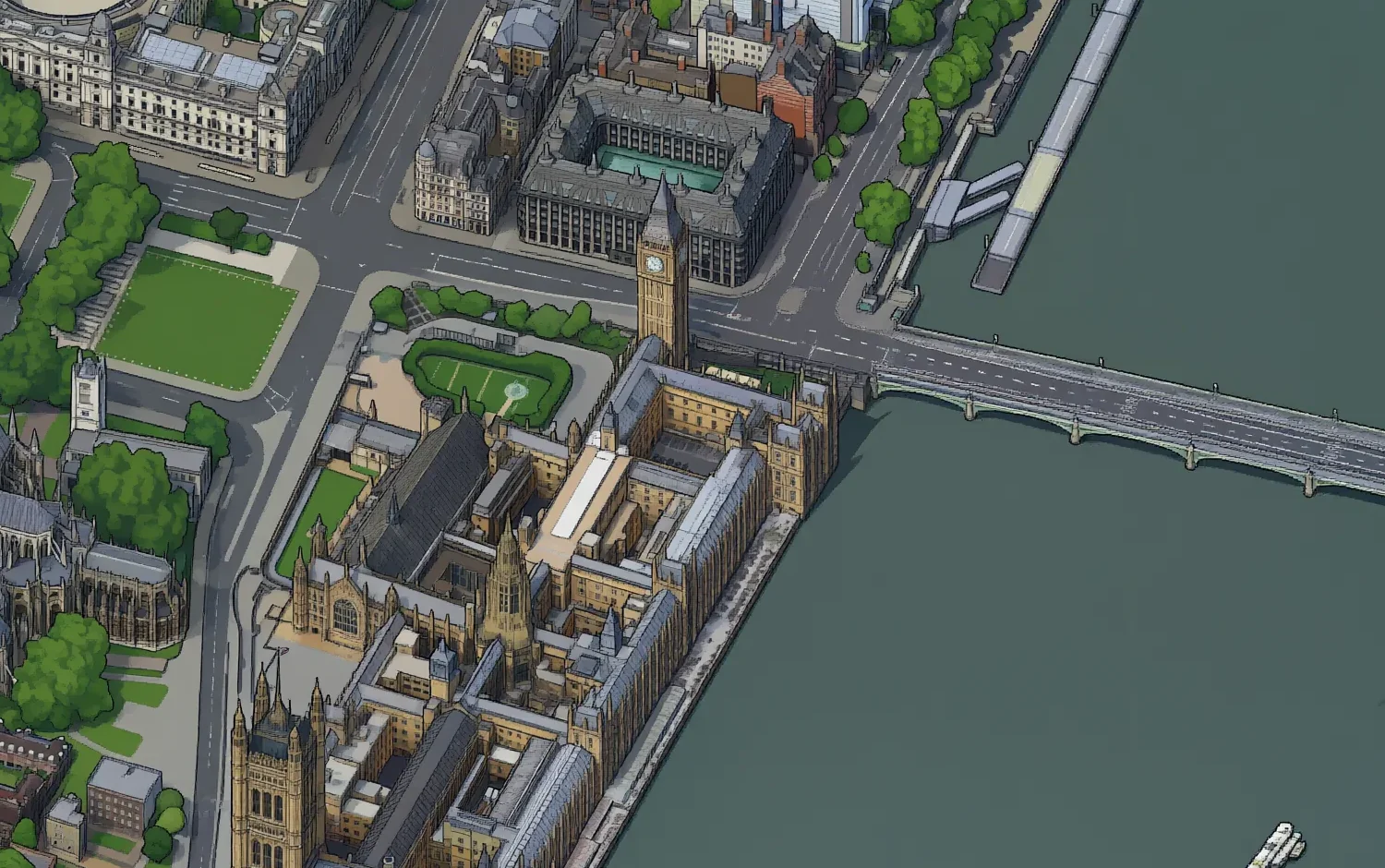
Earlier this year Andy Coenen made isometric.nyc, a pixel-art map of New York, and wrote up how he built it. He fine-tuned an image model on about 40 pairs, generated the city tile by tile, and fixed the hardest parts by hand. He ended with a list of things image models still could not do: draw tiles that line up, check their own work, and change one thing without redrawing everything.
I wanted the same map for London, and I set three rules before writing any code:
- no seams, anywhere, by construction rather than by repair
- no hand-labelled training data
- close to zero cost
Greater London is twice the land area of New York City, so anything done by hand per tile was out. This is what the pipeline ended up as:
- One orthographic camera renders all of London from Google's 3D tiles, in 3,570 shots that line up to the pixel.
- Gemini 3 Pro Image, through the ElevenLabs API, redraws about 2,500 render frames as pixel art. Automatic checks against the render and OpenStreetMap reject 31% of its attempts. What passes is the training set.
- A LoRA on Qwen-Image-2.1-Turbo learns that style in 3 hours 50 minutes on one H100.
- The whole city is denoised as one latent image, in overlapping windows, so there are no tile edges for a seam to form on.
- OpenStreetMap finds the landmarks the model invented on open water, and a local repair removes them without a seam.
The final run took 31 GPU-hours. It went live five days after I restarted the project.
How big it is
The camera angles are the same as isometric.nyc: tilted 45° and turned 15°. Each pixel covers 0.293 metres of view, so a London terraced house, about 5 metres wide, is 17 pixels across.
| What | Number |
|---|---|
| Area | 1,591 km², Greater London including the tidal Thames |
| Canvas | 221,184 × 135,168 px = 29.9 gigapixels |
| Inside London | about 14.2 billion pixels, plus a 2,560 px band of map round it, under clouds |
| Tiles | a 432 × 264 grid of 512 px WebP tiles, 10 zoom levels |
| Render | 3,570 shots of 2,048 × 2,048 px from one camera |
| Teacher | 7,277 image-model calls, about 30 seconds each |
| Training | 6,326 examples, LoRA rank 32, 8,000 steps, 3 h 50 min |
| Final run | 125 blocks, 24,614 windows per step, 8 steps, 31 GPU-hours |
| Compute | about 70 H100-hours across every experiment |
Attempt one: prompting tile by tile
In August I started with the obvious approach and no fine-tuning. I forked Andy's repository, which is MIT-licensed and came with his renderer, his viewer and his LoRA. Then I asked Gemini's image models to redraw one 512 px tile at a time, with the finished neighbours in the input so it could continue their edges.
After 776 calls over two days I had a 10 × 10 tile box around Trafalgar Square. Up close, the tiles were lovely. At their edges they were not.
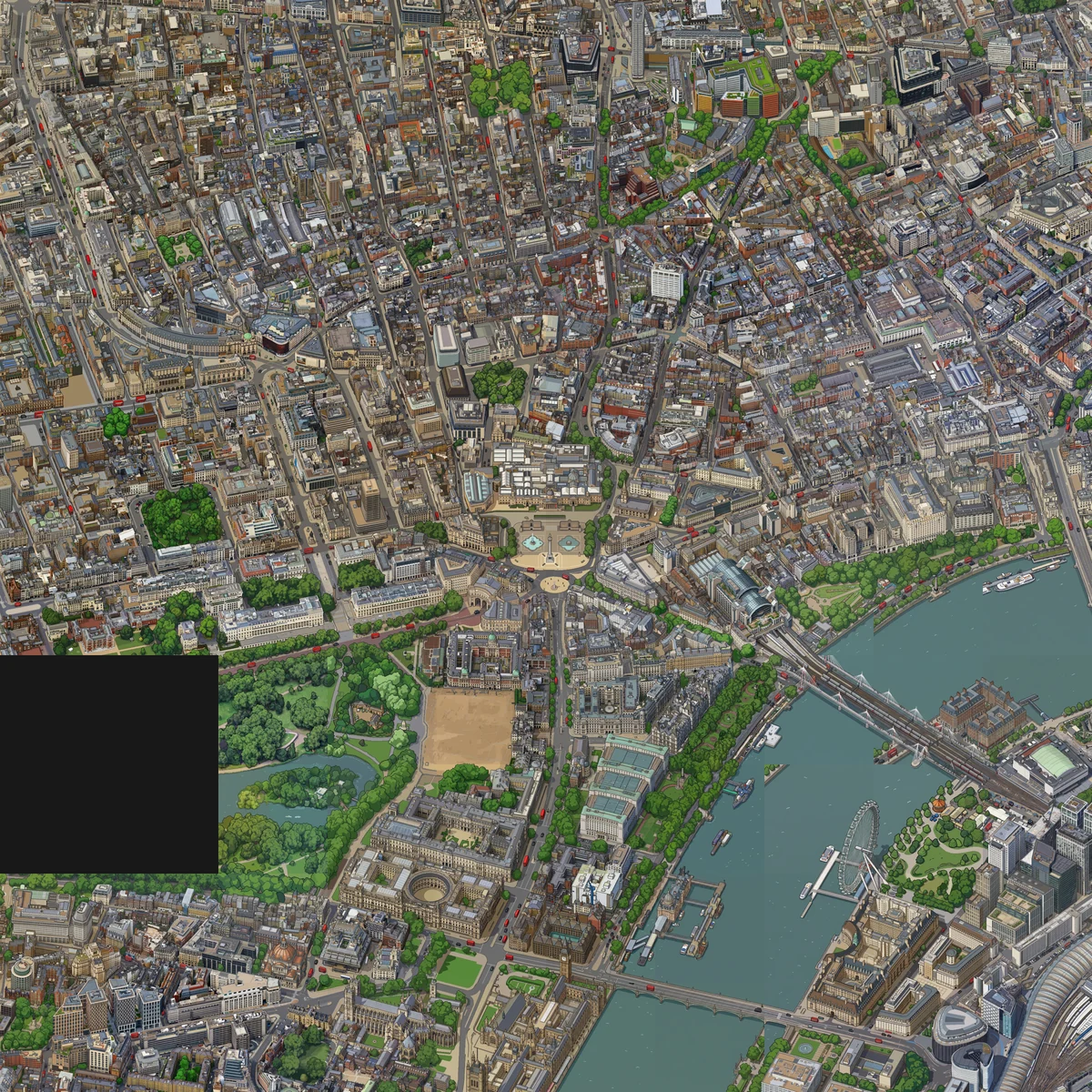
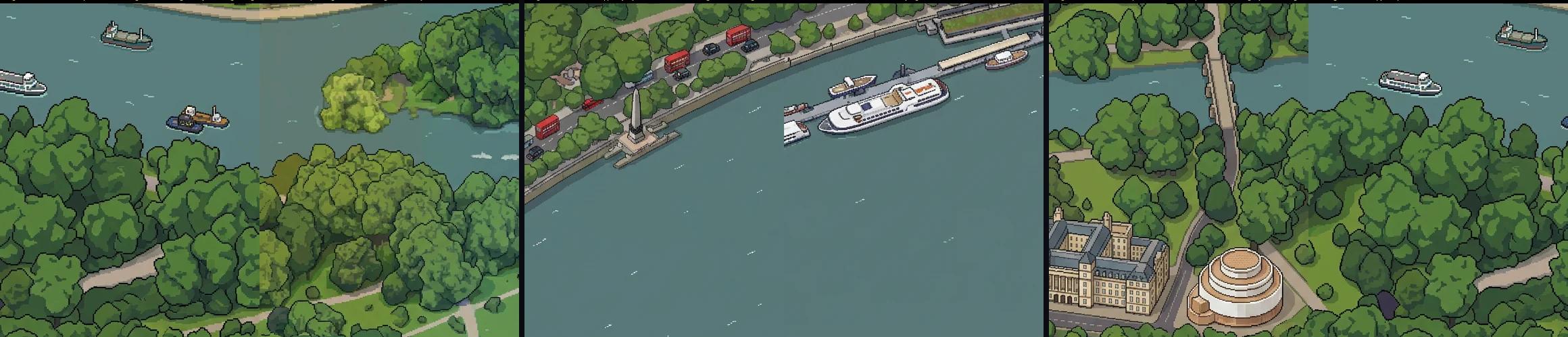
I graded all 169 boundaries in the box with a vision model and a fixed rubric. A third of them (55) had a visible seam. The defects were about meaning, not colour: roof patterns breaking (24), trees changing style (22), water changing tone (14), haze stepping (10). My hand-written seam metrics agreed with the grades at r = 0.09 to 0.21, which is close to noise.
Eight layers of automatic checks did not get the rate below a third. A prompted model redraws each tile as a slightly different artist, and every retry draws a new artist from the same wide range. I stopped there.
The idea: never cut the city into tiles
A diffusion model makes an image by removing noise from a latent over a few steps. It only sees a fixed window at a time, 1,024 × 1,024 pixels here. The usual way to make a bigger image is to generate windows one after another and stitch them, which is where seams come from.
MultiDiffusion (Bar-Tal and others, 2023) does something else. It keeps one latent for the whole canvas. At every step it runs the model on overlapping windows and averages their predictions where they overlap. Neighbouring windows cannot disagree for long, because they are editing the same numbers. There is no tile boundary during sampling, so there is nothing for a seam to form on. Tiles are cut from the finished image at the very end.
The sampler is short enough to show. This is the loop from joint/sampler.py, trimmed:
def joint_denoise(noise, sigmas, grids, predict, wt, known=None, mask=None):
  latents = noise.clone()                       # one latent for the whole canvas
  for i in range(len(sigmas) - 1):
    vel = torch.zeros_like(latents)
    wsum = torch.zeros_like(latents[:1])
    for y, x in grids[i % len(grids)]:          # grid B is shifted half a stride
      v = predict(latents[:, y:y+W, x:x+W], (y, x), sigmas[i])
      vel[:, y:y+W, x:x+W] += v * wt             # tent weight: 0 at the edge
      wsum[:, y:y+W, x:x+W] += wt
    latents += (sigmas[i+1] - sigmas[i]) * vel / wsum   # one Euler step, all windows
    if known is not None:                        # pinning: keep finished pixels
      pinned = (1 - sigmas[i+1]) * known + sigmas[i+1] * noise
      latents = mask * pinned + (1 - mask) * latents
  return latents
The last three lines are the other half of the trick. Finished pixels can be pinned: at every step their latent is replaced by the finished latent, noised to the current level, so new areas grow out of old ones instead of being stitched to them. This is the RePaint method, and it later did the work for block edges and every repair.
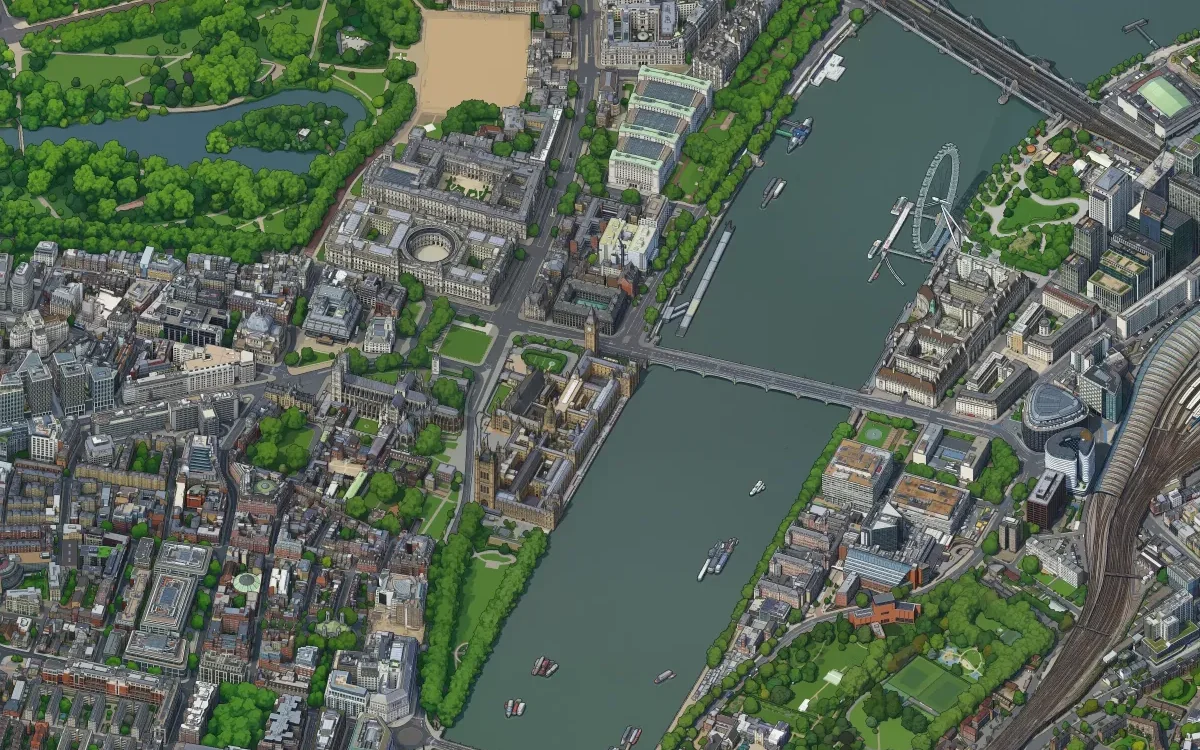
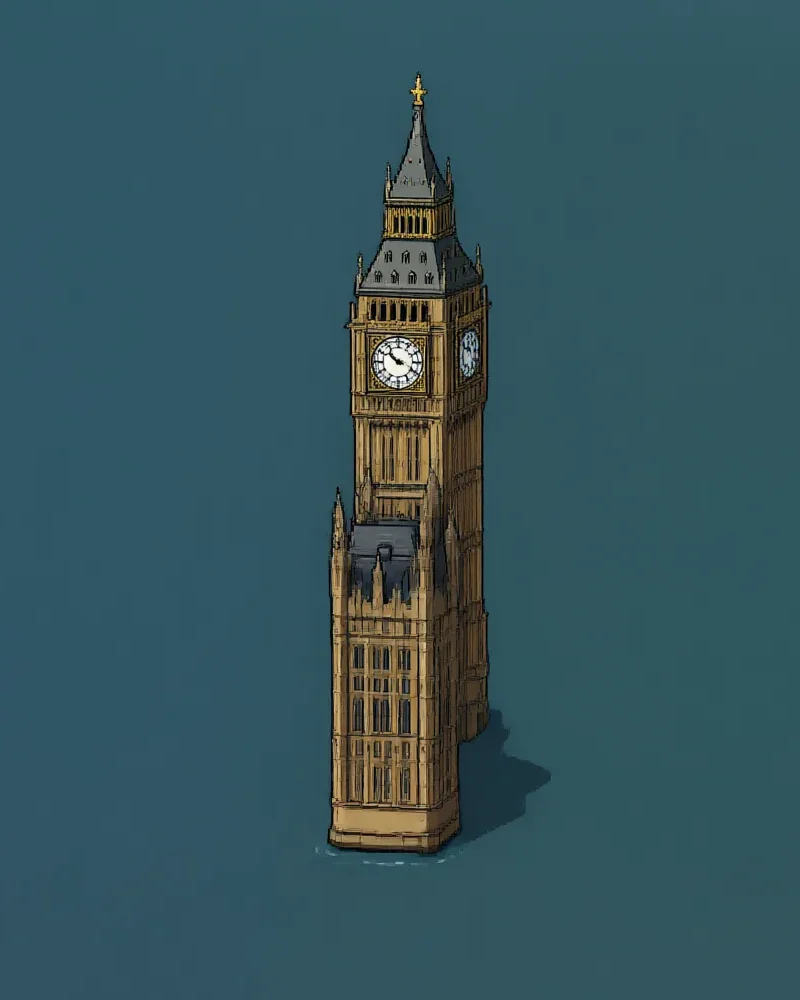
The first test was a 2,560 px square around Big Ben. Cut into 4 × 4 tiles, it reassembled byte for byte. I checked seams by comparing the colour jump across tile borders with the jump everywhere else. A seam pushes that ratio well above 1. The pilot scored 0.93 and the render itself 1.0. The first map of central London, 17,408 × 8,704 pixels, scored 0.999 against the render's 1.011.
One camera for all of London
Joint sampling needs a continuous input as well. If the render is made of separate shots with slightly different cameras, the map will inherit their edges.
The renderer is Andy's three.js scene of Google's Photorealistic 3D Tiles, driven by Playwright. The camera is orthographic, so a shot can move by shifting the view frustum without moving the camera at all. Every one of the 3,570 shots comes from a single camera at 51.507 N, 0.106 W, with its frustum offset by a whole number of 2,048 px steps. I tested this on central London: a mosaic of 45 shots matched one big render in 99.7% of pixels. The far edges of London are 25 km off-axis and render just as well, because nothing in an orthographic view gets smaller with distance.
The renderer keeps one browser page open per worker and moves the frustum with a small window.setOffset() instead of reloading. A shot takes about 4 seconds.
The camera also defines the map's projection, and it is not a flat lat/lon grid. Points go from WGS84 to Earth-centred coordinates, then to east, north and up at the camera, then through the isometric view. A flat approximation is 0.2% off east to west, which is 50 to 70 pixels at the edge of zone 2. The site's postcode search uses the same maths in TypeScript, and it lands within 0.01 px of the generator.
Picking a model
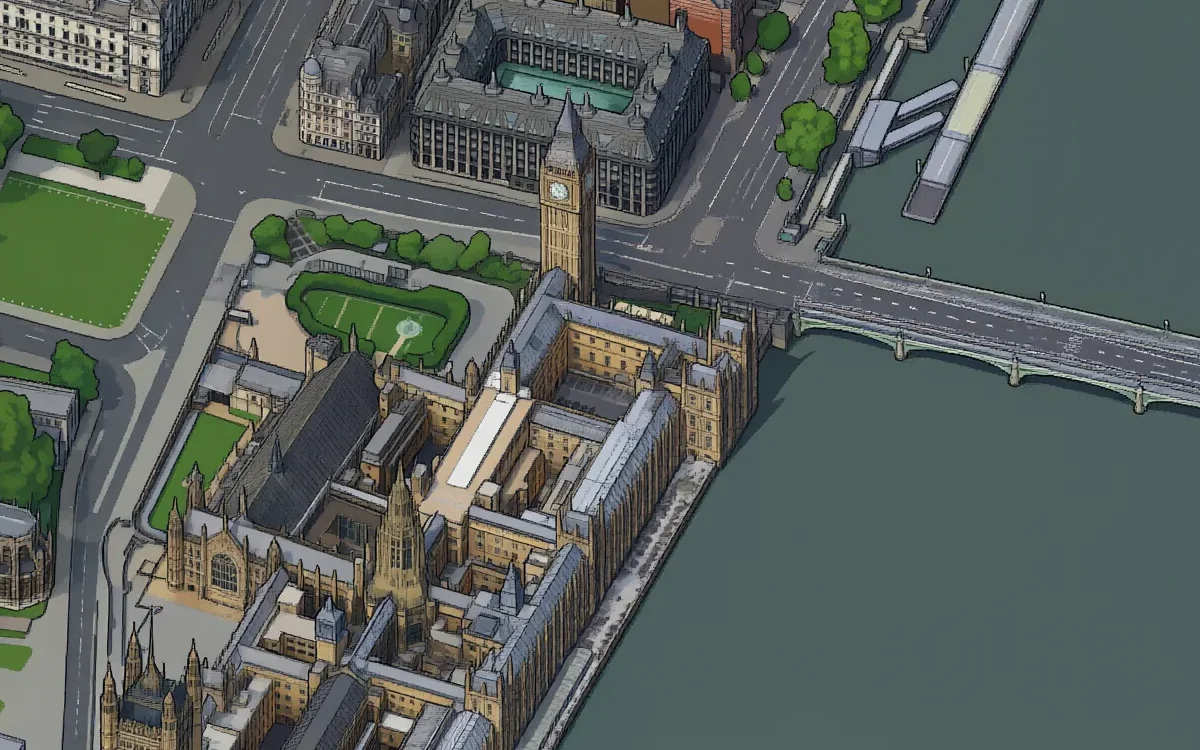
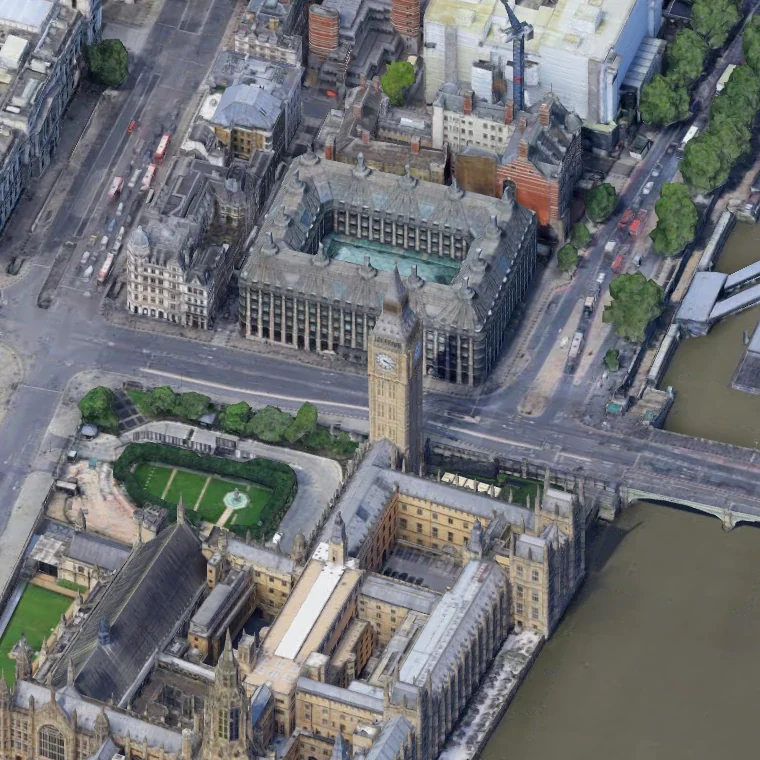
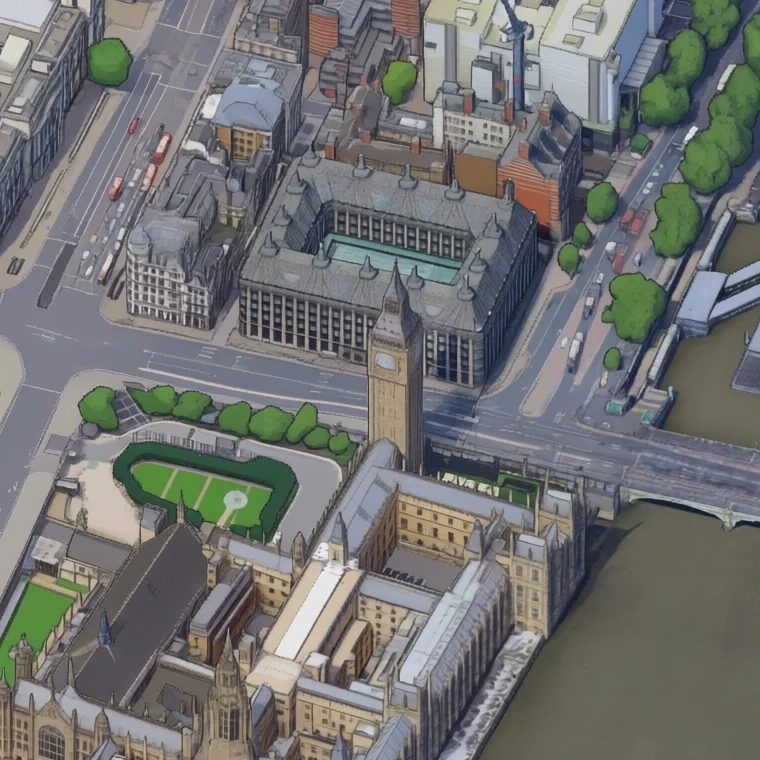
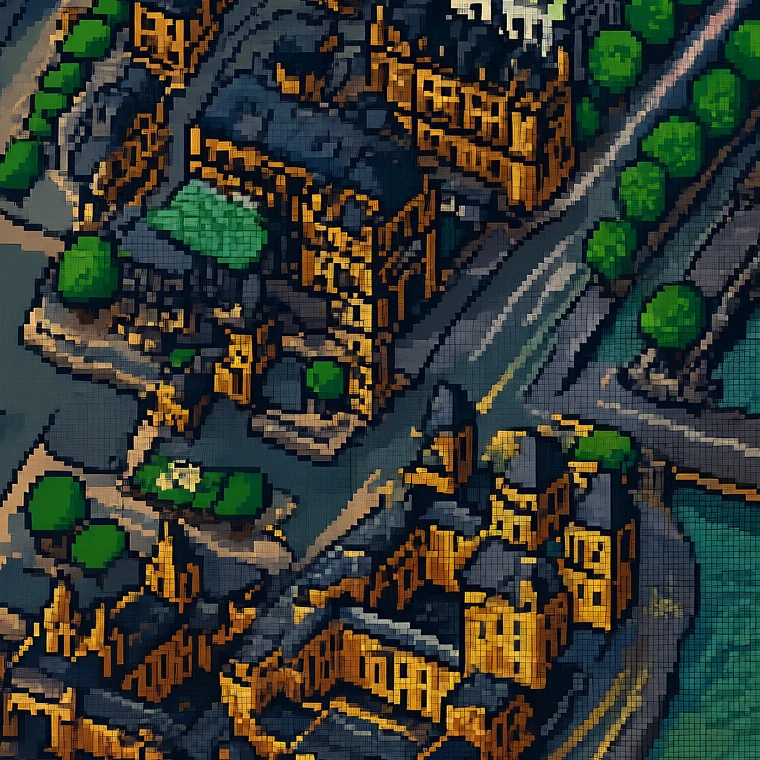
Andy's LoRA was the natural first try. It comes from Qwen-Image-Edit, a model that takes an image and an instruction and returns an edited image.
 render
 NYC LoRA
 prompt only
 London v1
 published
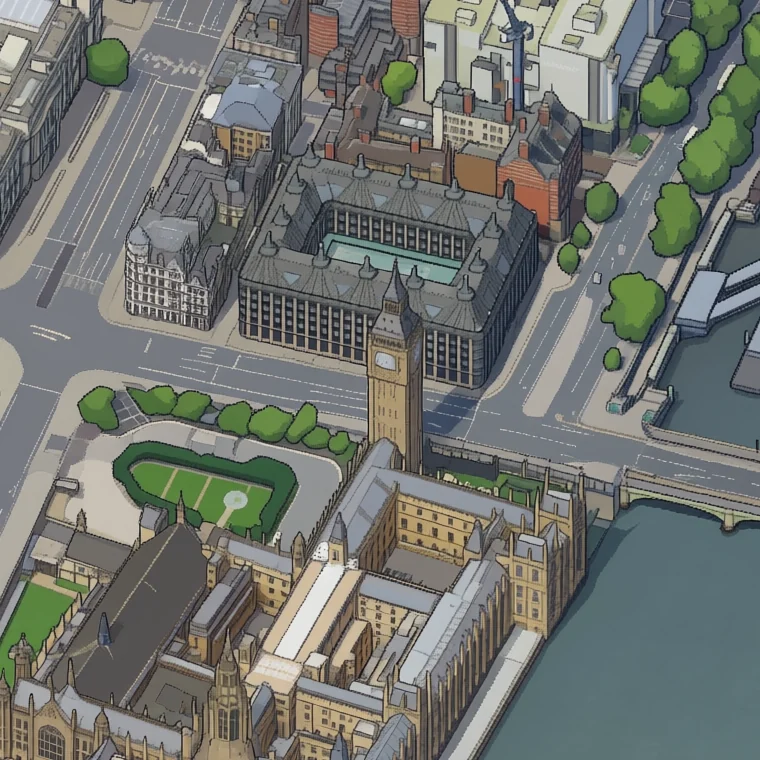
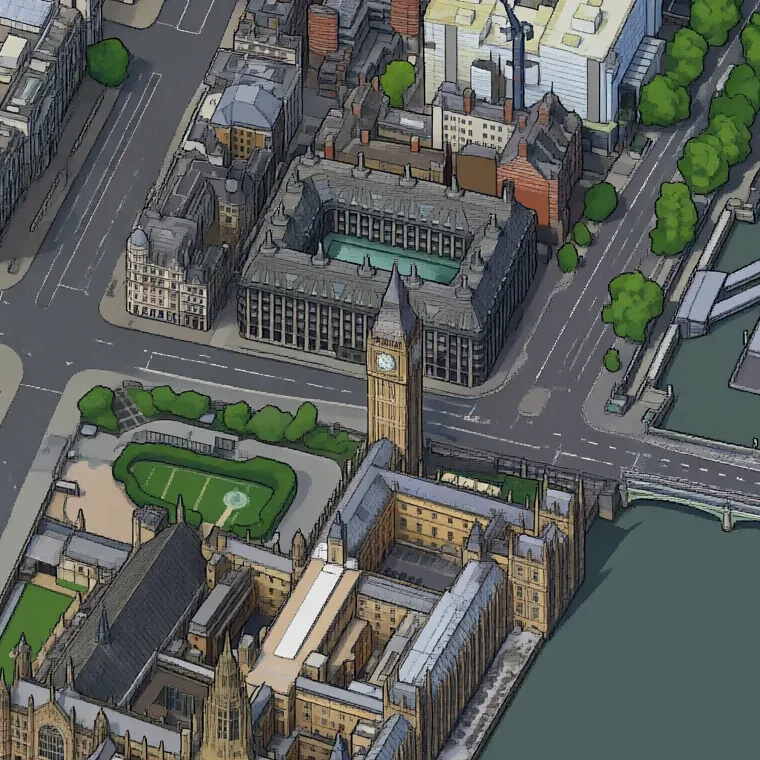
Neither off-the-shelf option worked, so I needed my own LoRA. A LoRA needs training pairs: render in, pixel art out. That brought back the August problem in a new form. Where would a few thousand good targets come from without drawing or labelling them?
Training data without labelling anything
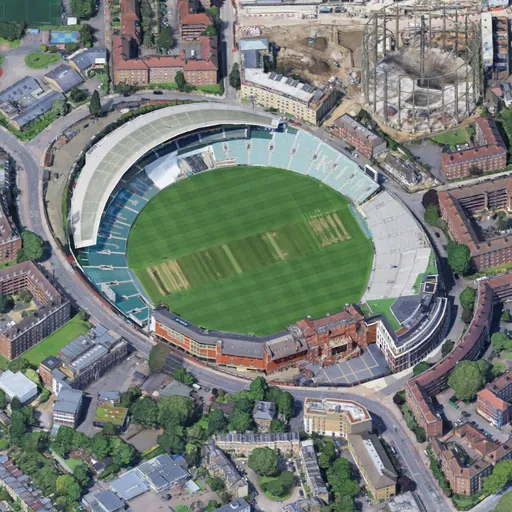
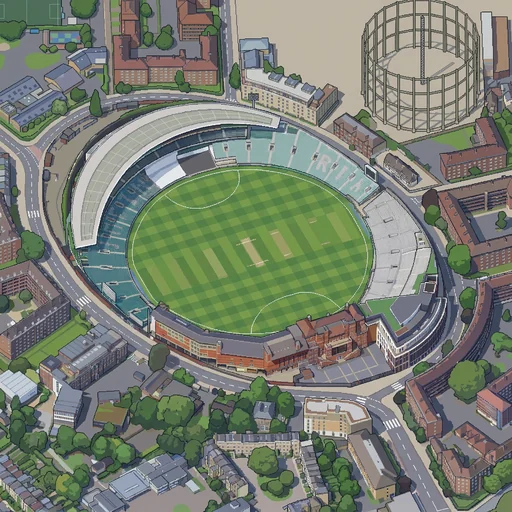
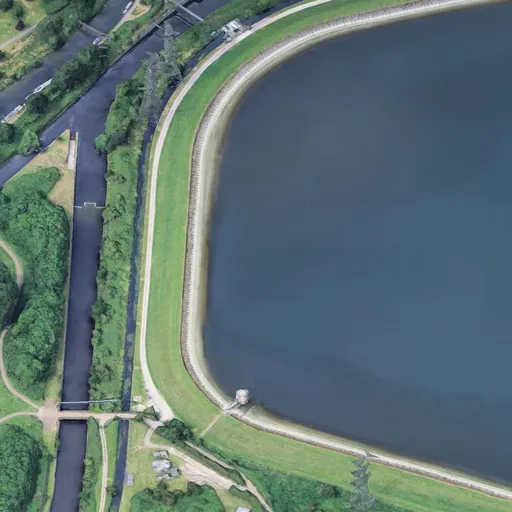
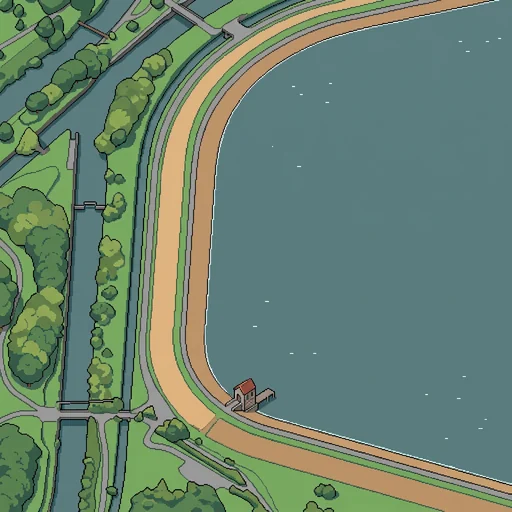
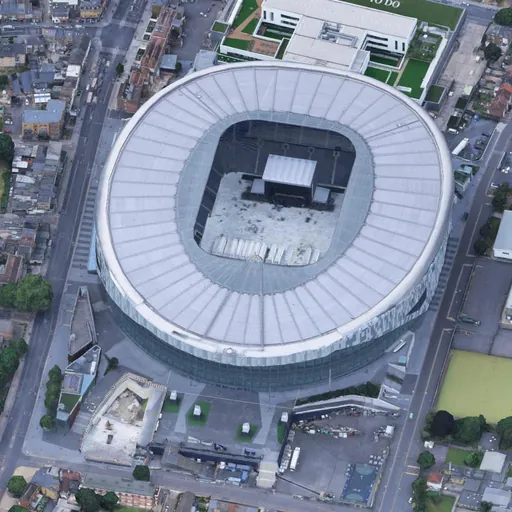
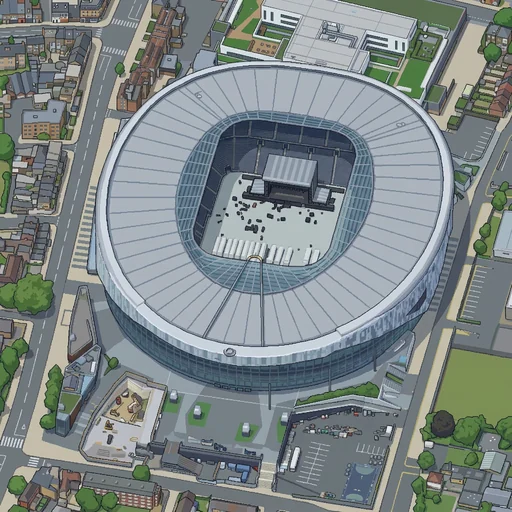
The August experiment had one useful result. Gemini 3 Pro Image is good at a single frame. Its weak points are consistency between frames and edges between tiles, and neither matters for training pairs, because every pair stands alone. So it became the teacher. Every training target was generated this way, and that dataset is what the Qwen LoRA learned from. It redraws 1,024 px render frames, the LoRA learns the average of its style, and the joint sampler takes care of consistency and seams.
 render
 teacher
 render
 teacher
 render
 teacher
 render
 teacher
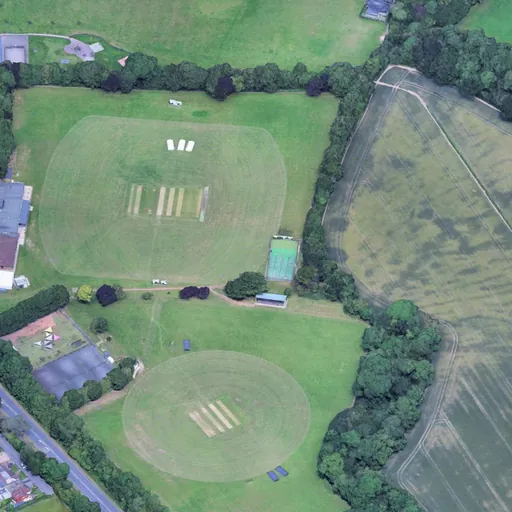
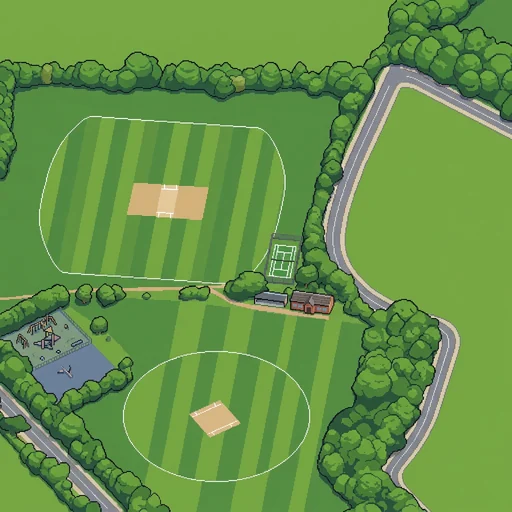
The teacher still fails in several ways, and each failure would teach the LoRA a bad habit. So every target goes through automatic checks before it can be used. Each check compares the target with something that is known to be true: the render for structure, OpenStreetMap for water.
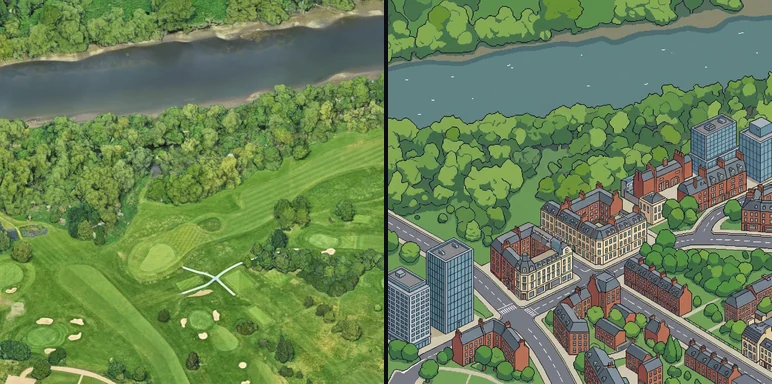
The photo-copy check deserves a closer look, because it is the one a person would miss. The teacher sometimes returns the photo with a filter over it instead of redrawing it. Pixel art is mostly flat fills, and a photo is not. So the check measures the share of pixels whose 3 × 3 neighbourhood is flat. Careful redraws score 0.42 to 0.55. Half-copies score 0.18 to 0.35.
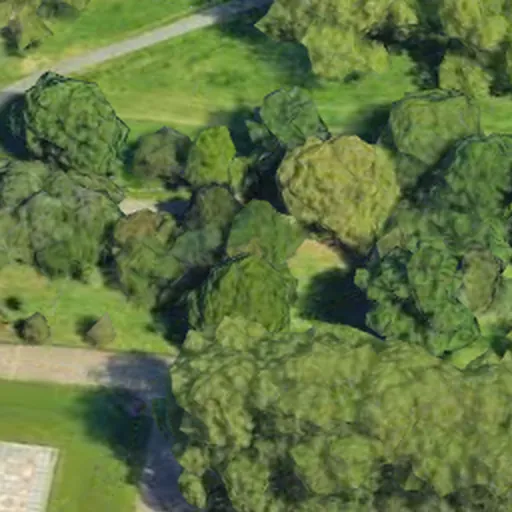 render
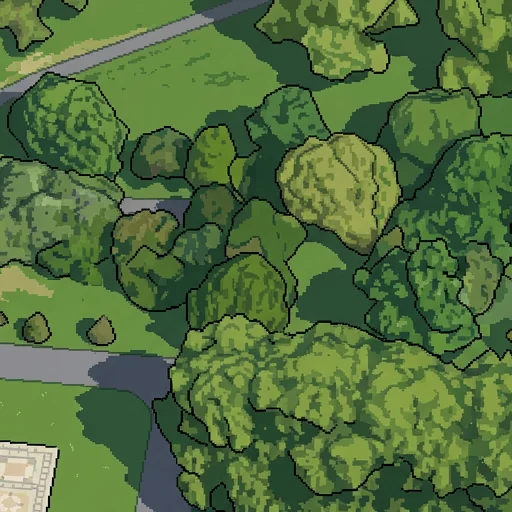 try 1: rejected
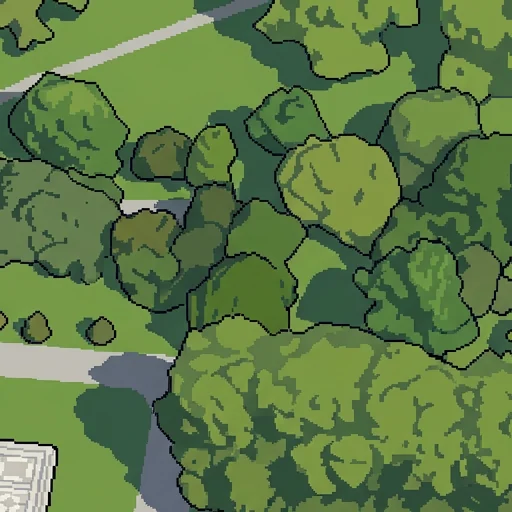 try 2: accepted
Prompts that describe content get content
The biggest single fix was in the prompt. My first prompts described London: brick and stucco facades, slate roofs, zebra crossings, Portland stone. Wherever the render had little to copy, the teacher drew exactly those things. It put towns on farmland, roads through parks, pitch lines on lawns, and a city on a reservoir.
The final prompt says how to draw and never what to draw. It opens like this:
FIDELITY COMES FIRST:
1. Draw exactly what the render shows, in the same positions, shapes and sizes,
   seen from the same camera.
2. Add nothing that is not in the render and remove nothing that is.
3. Where the render shows little detail, keep the drawing just as plain. Little
   detail in the render means little detail in the drawing, never new objects.
The truth about water goes in too. Each frame gets one generated sentence from OpenStreetMap. Most say: "WATER IN THIS VIEW: none. Nothing in this view is water, so nothing in it uses the water colour." That sentence alone stopped the teacher painting football pitches as ponds.
Covering all of London
Most of London is not landmarks. To make the training set look like the whole city, I cut 12,264 frames from the render, embedded them with DINOv2 and clustered them into 64 groups by look. Every group got 8 to 30 examples, weighted by the square root of its size, so rare kinds of place still appear: bungalows, airfields, reservoirs, golf courses.
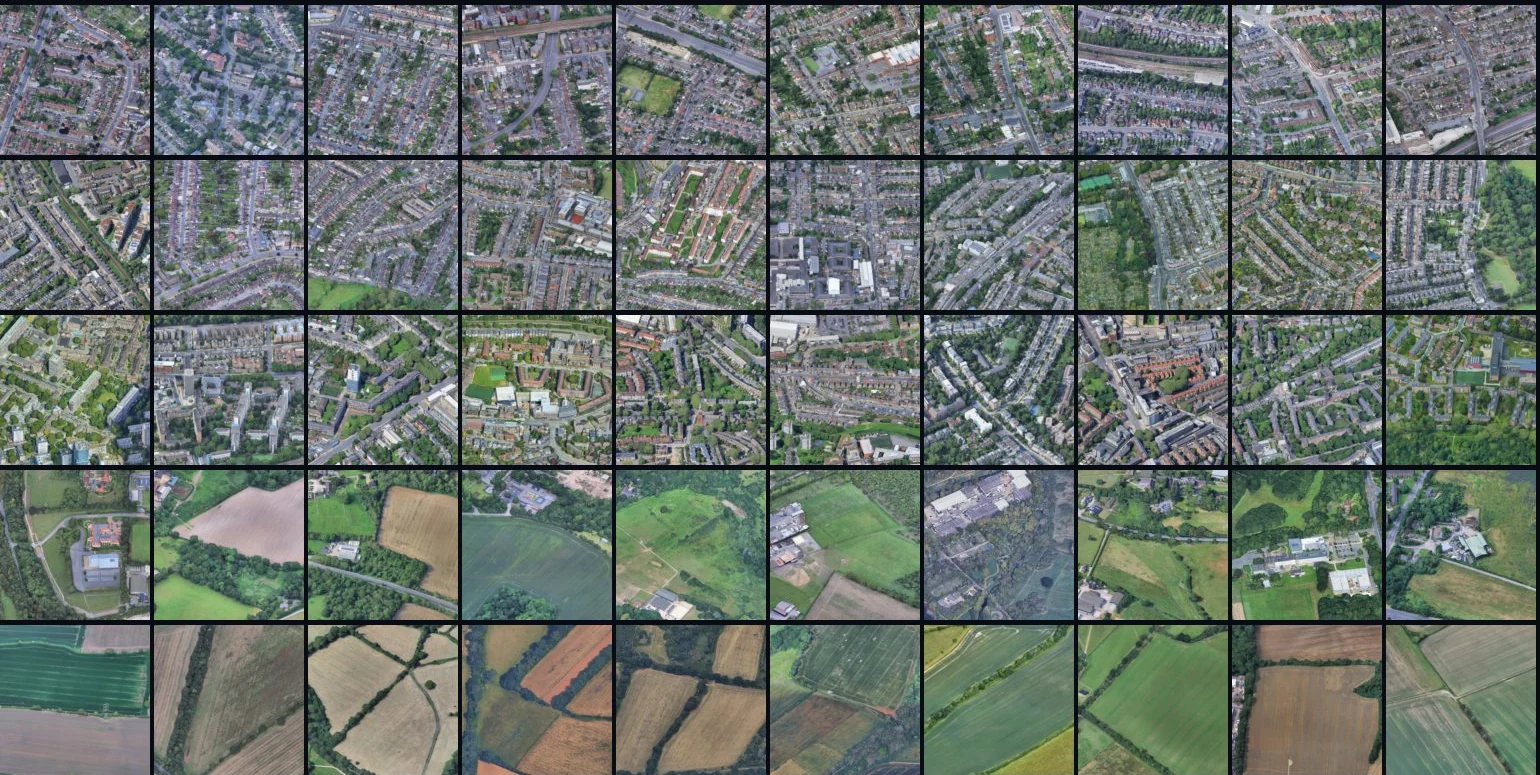
On top of that came 230 hard places picked from OpenStreetMap (pitches, building sites, rail land, car parks, airfields), 56 water frames, and 95 landmarks across London, each with 4 zoomed quarters. Zooming in 2× was a useful trick: on a dense frame the teacher copies the photo, but on a quarter of it, it redraws. Four test areas never went into training: the Isle of Dogs, Heathrow, the Walthamstow reservoirs and Bexley.
I looked through contact sheets of the rejects and the borderline cases. I did not label anything. The final set was 2,337 new targets plus 219 kept from earlier versions: 6,326 training examples at 1,024 and 512 px.
Training
The LoRA is rank 32, trained with ai-toolkit on an int8 Qwen-Image-2.1-Turbo: 8,000 steps at batch size 1, learning rate 1e-4, 3 hours 50 minutes on one H100. The input is the render with a 2 px red outline and Andy's infill prompt, with "nyc" changed to "london". That is how his training data was framed, and I kept it.

There were four LoRAs in total:
- v1: 86 pairs on Qwen-Image-Edit, 3,000 steps, 4 hours. Central London in 56 minutes, but the dense City barely changed and the eastern Thames stayed brown.
- v2: 603 examples with landmarks, glass towers and zoomed quarters. The Shard and the Gherkin came out right. Guidance at CFG 3 made it crisper but also more inventive.
- Turbo: the v2 data on Qwen-Image-2.1-Turbo. It samples in 8 steps without guidance, against 40 model passes per window for v2. The same central canvas took 27 minutes instead of 110.
- v3: 6,326 examples covering all of London, with the fidelity prompt and OpenStreetMap water.
Generating Greater London
The canvas is a 30-gigapixel rectangle with London's 14 billion pixels inside it, and its latent does not fit on a GPU. So the final run works in blocks of 12,288 px. Each block reads a 1,024 px margin of its finished neighbours from disk as pinned context, generates the rest jointly, and writes lossless 512 px tiles back. Blocks run in four phases by the parity of their row and column. Blocks in one phase never touch, so they could run on separate GPUs, and every later block grows out of finished ones.
Only windows that touch London run, which is why the blocks on the boundary finish quickly. Pixels outside the official boundary stay black. That turned into its own project, below.
Most of the engineering in this stage is about not losing work. Every block moves through saved states: pending, running (with a latent checkpoint after every step), generated, stored, done. All writes are atomic. I learned this the hard way. The first zone 1 run ran out of memory while decoding the final image, after 4.6 hours, and lost everything. Now the decode builds the image in CPU memory and the latent is saved before it starts.
The GPU was a Google Cloud flex-start VM, which stops after 24 hours. A script on my laptop restarts it whenever it is down, a cron job restarts the run at boot, and the run picks up from the last step.
What the model got wrong
As in New York, water was the hardest part. The LoRA learned that the Thames comes with Big Ben and Tower Bridge. Where a window sees nothing but empty water, it sometimes draws them anyway.
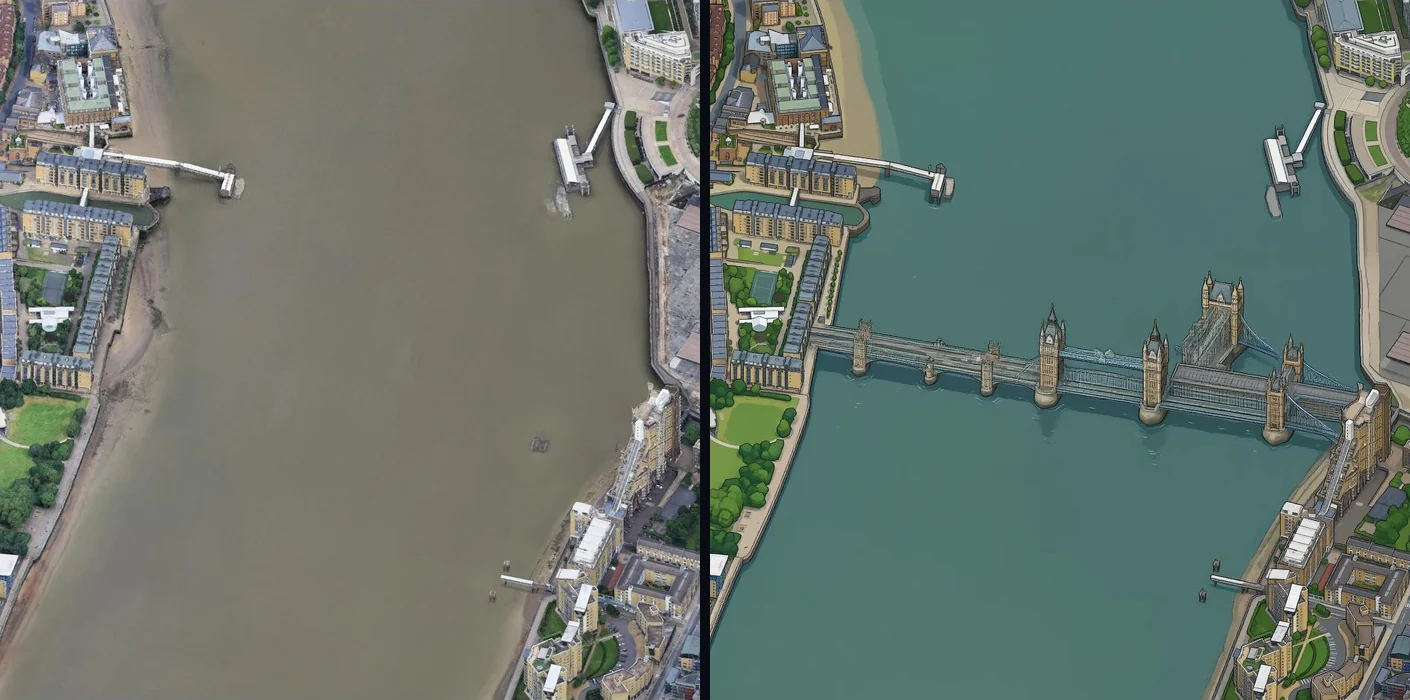
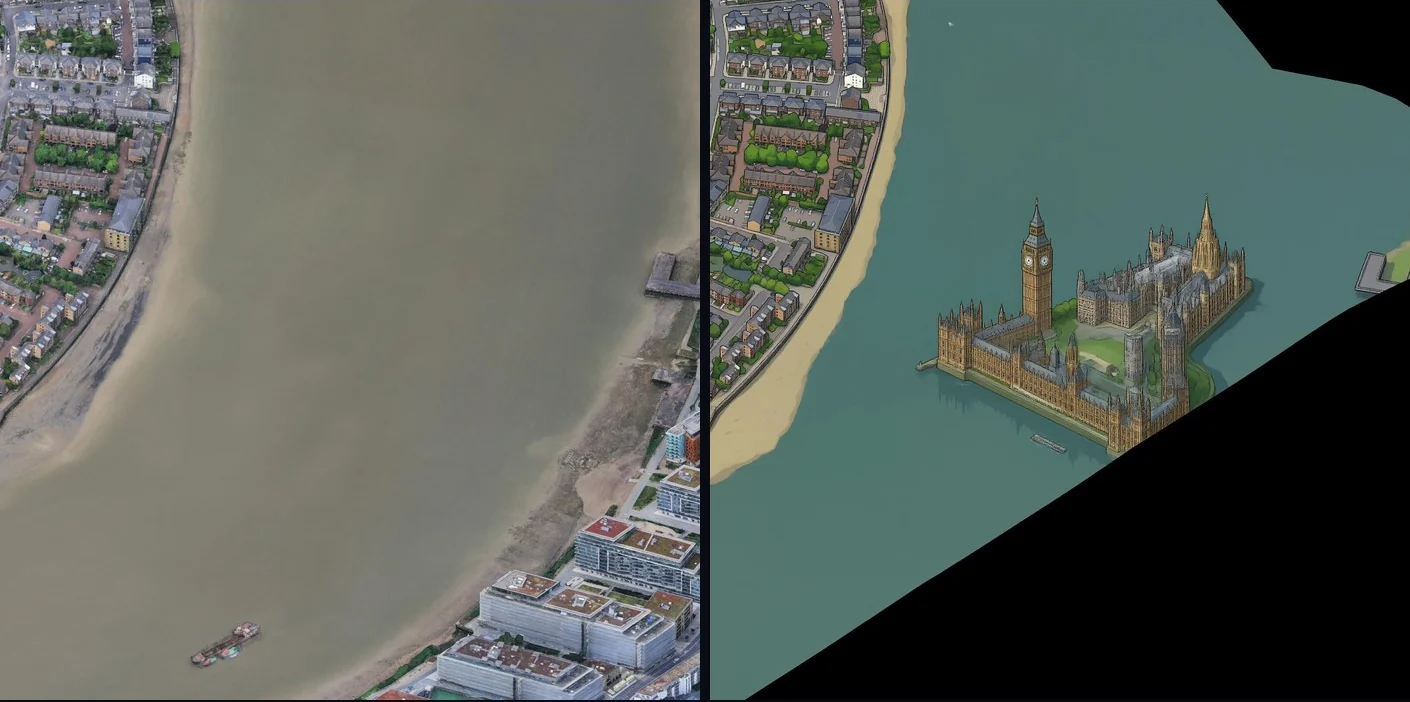
To find these things on 14 billion pixels, I used OpenStreetMap as ground truth. Water polygons come from the Geofabrik extract for London, because Overpass times out on boxes this big. They go through the same camera projection as the map. Raised reservoirs need one more step: at 45° a surface moves 2.4 pixels for every metre of height, so each reservoir is lifted by the height of its shore. Then one check runs over the whole map: where OpenStreetMap says water and the render is flat and empty, the map should be empty too. Detail there is an object the model invented.
On the first full map it found 10 objects on water, and all 10 were real.
Repairs without seams
The objects on water did not need a model at all. Each one is masked (the landmark, its shadow and its reflection), and the hole is filled with a texture of nearby clean water. Then a Poisson solve makes the patch meet the original map on its edge: the result is the texture plus a harmonic correction, so there is no seam by construction.
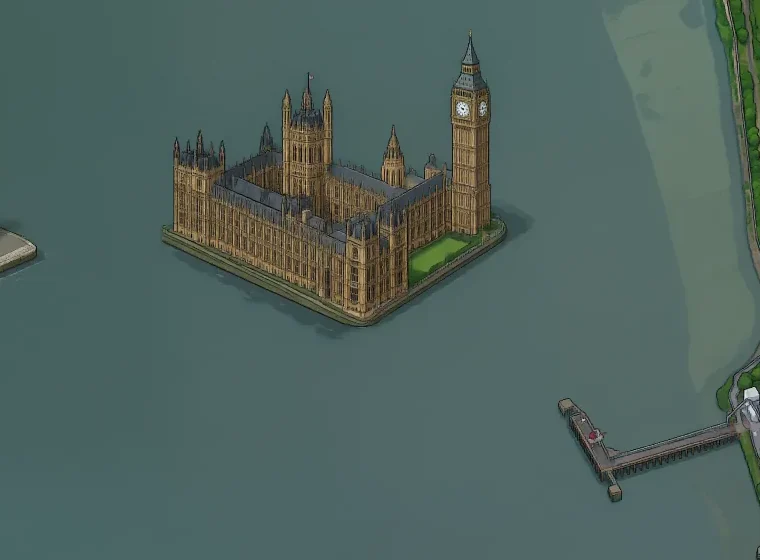
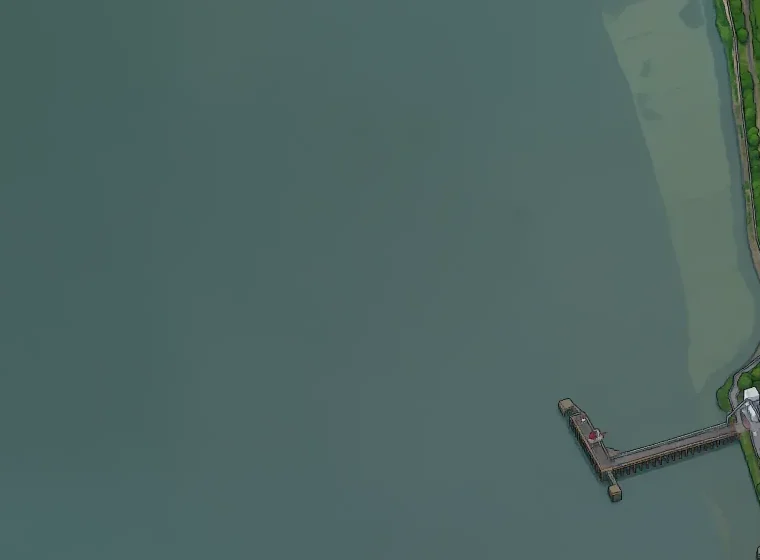
Two artifacts I kept
I left these two on the map on purpose, as Easter eggs.
 map
map render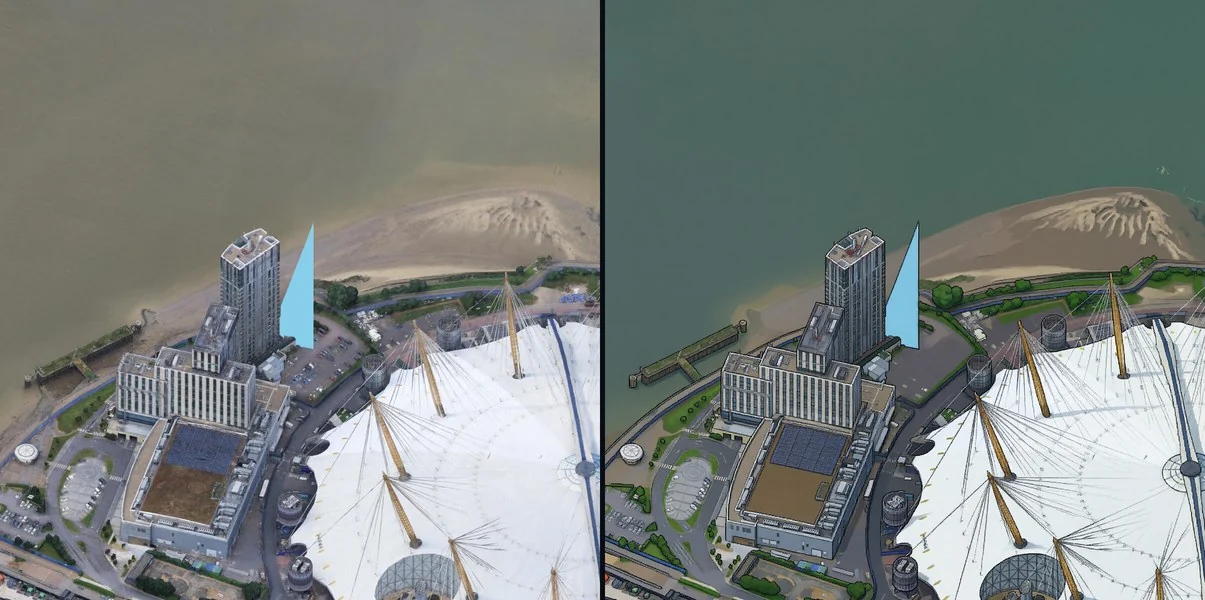
The edge of London
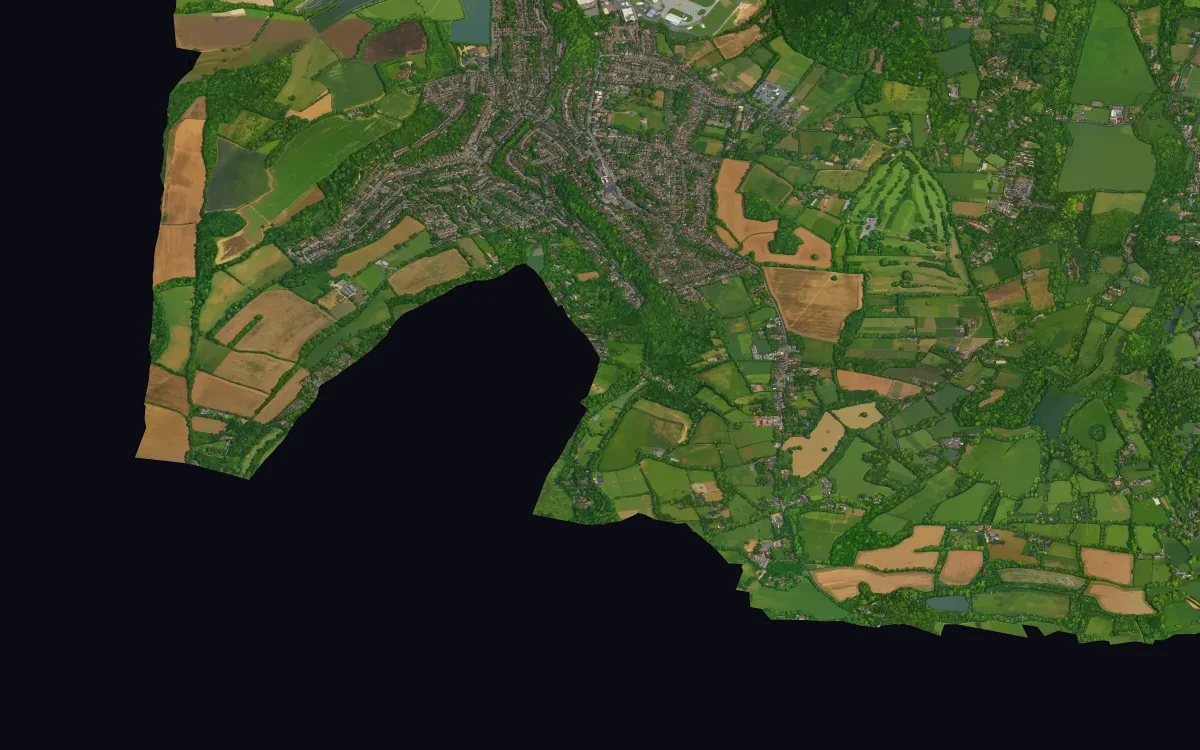
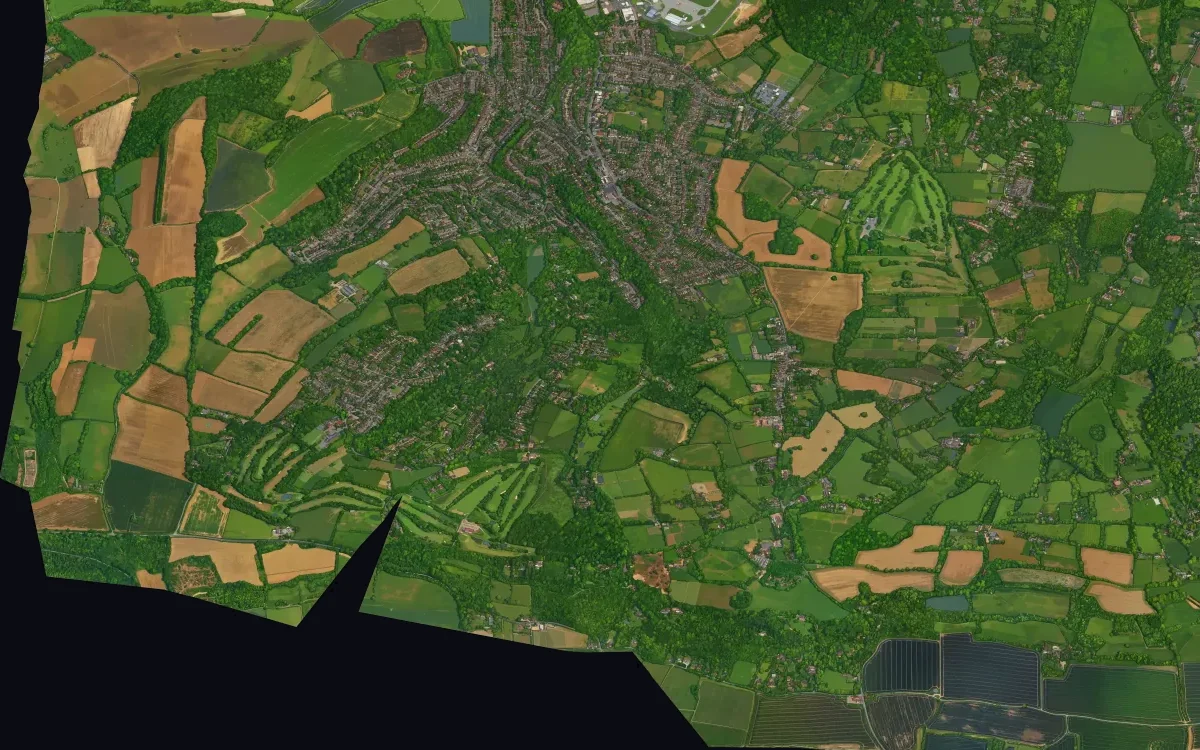
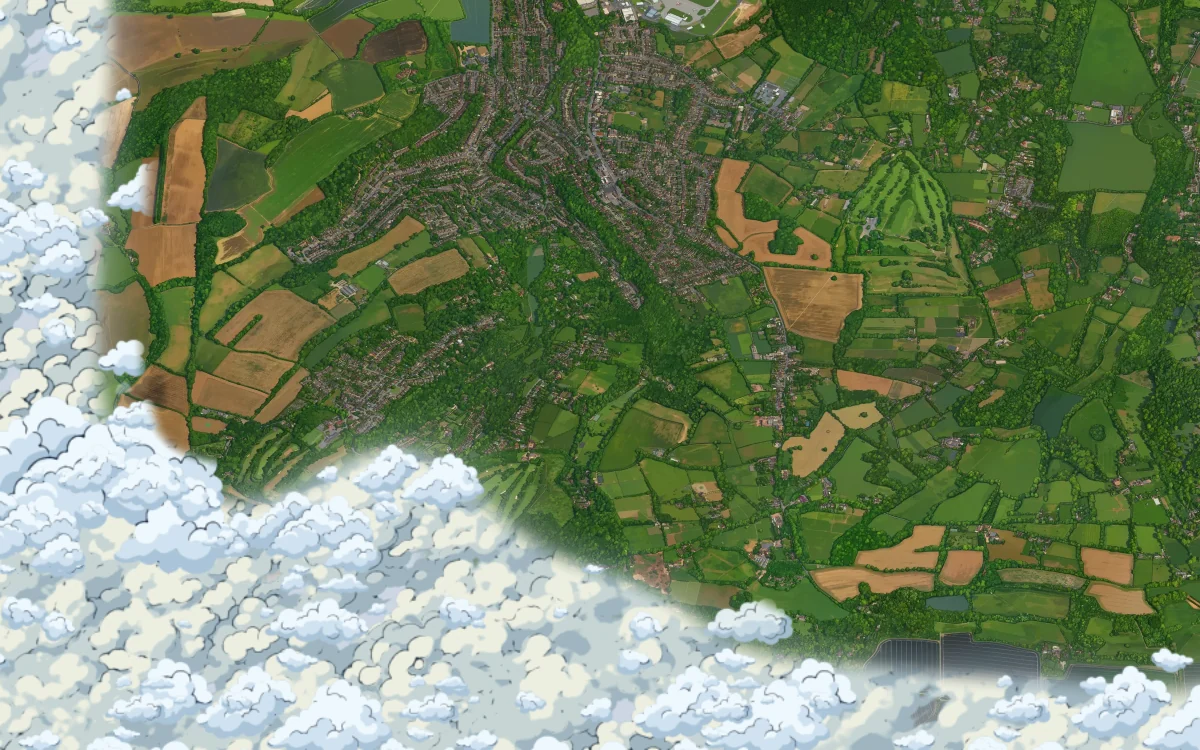
The first version stopped dead at the boundary. Past a 512 px margin the canvas was black, and London's boundary zigzags: some of its bays reach 2,100 px in. I wanted the city to sit in clouds instead, with no black anywhere and not one cloud pixel inside London.
 14 October
 the band
 clouds
My first clouds were cut off along the boundary. With only 512 px of map past it there was nothing to fade over, so the edge of the sky followed every kink of a borough boundary.
More map, not a better shader
The fix was more map. A cloud edge that never touches London and never follows the boundary needs every bay of the boundary under clear sky, so there has to be map there. A band of 2,560 px all round London covers the deepest bays with room to spare. It is about 10% more map than London itself: 337 new render shots and 74 blocks, grown one at a time with the existing map pinned, so the old edge is never redrawn.
A seam I blamed on the wrong thing
The band came back with straight lines in it. The agent measured them: 79 to 92% of the strong tone steps on tile edges sat on lines where a new block met an earlier one, and those lines are only 4% of all tile edges. It concluded that neighbouring blocks had slightly different tones and wrote a low-frequency tone solve. That halved the steps and left the lines.
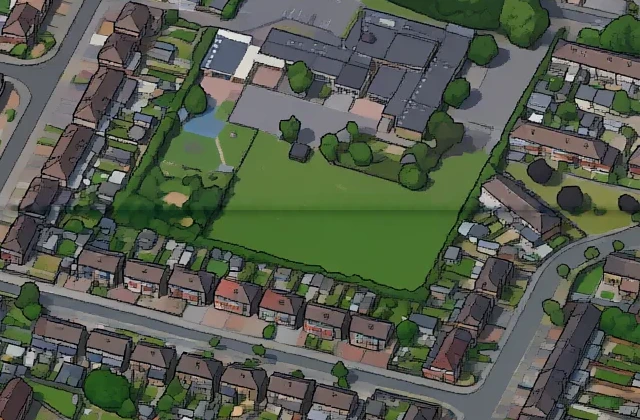
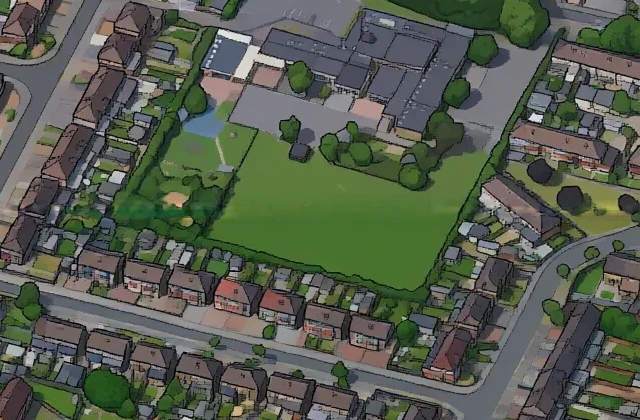
I looked at the lines instead of the numbers, and they were not steps at all. They were a dark stripe, 6 to 10 px wide and 6 to 15 levels darker, with the same picture on both sides. The fix measures the mean colour at each offset across the line, smoothed over 48 px along it, and scales each offset back to a straight ramp between the two sides. The stripe went from 10 to 22 levels deep to under one. The main run never had this problem, because each of its blocks redraws a strip of its finished neighbours and blends over it. The script that grew the band skipped that step.
The repair shipped as a patch, not a new version. The site reads a folder holding only the 2,137 changed tiles, their parents in the pyramid included, plus a list of them, and takes everything else from the version below.
A field that never enters London
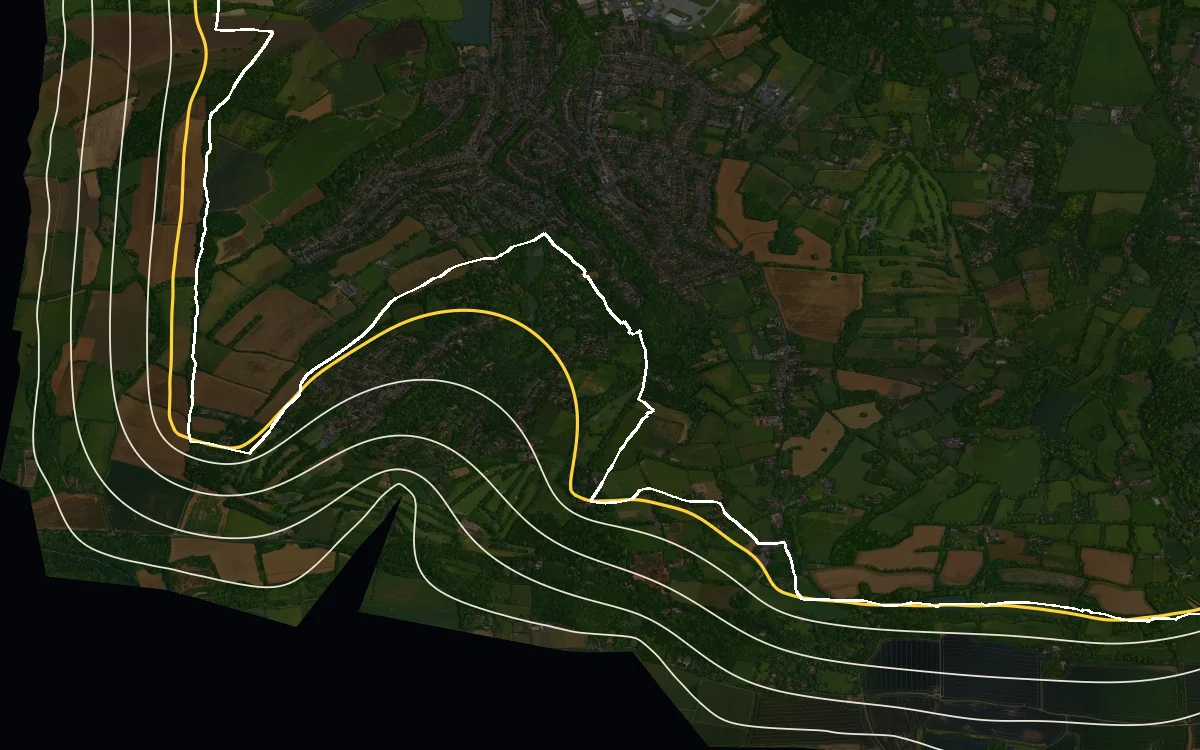
Where clouds may go is one number per point: 0 on London, 1 at the outer edge of the band. A distance to the boundary would copy its zigzags. A harmonic field does not. It solves Laplace's equation between the two edges, so its level sets smooth out the bays the further they get from London. Kilometre-scale noise then pushes the cloud front in and out, so it runs parallel to nothing.
Drawn clouds beat noise
Next to a hand-drawn map, clouds made from procedural noise read as marble or camouflage. What worked was asking the image model that drew the training targets to draw clouds as well, with a map tile as the style reference. The shader cuts its sheets into separate clouds, each with an id and a centre. Three tiled layers of different sizes each show a random subset of clouds per repeat. A cloud appears only when the cover at its centre passes its id, so clouds arrive whole, small ones first, instead of being clipped by a mask. Under them, a closed cloud deck is hex-tiled with random offsets, Mikkelsen's trick, so it never visibly repeats.
 drawn
drawn on the map
Drawn clouds have one problem: zoom in far enough and their pixels show. So the shapes are stored as distance fields: for each texel, how far it is to the silhouette, to two tone edges and to the outline strokes. The shader redraws every edge at screen resolution. That was not enough on its own. At full zoom one texel covers about 8 map pixels, and bilinear filtering turns every curve into a polygon with a corner at each texel. When a texel covers more than about one and a half screen pixels, the shader reads the fields through a cubic B-spline instead, from four bilinear taps, and the corners go.
The clouds cost about 10% of a laptop GPU while all of London is in view, and nothing over central London. They only animate while a cloud is on screen, at 15 frames a second.
The viewer
The site is a small React app around OpenSeadragon, reading a Deep Zoom pyramid of WebP tiles from Cloudflare R2. Two lessons from shipping it:
- Never overwrite tiles in place. I replaced a preview folder once and Cloudflare kept serving 50-minute-old tiles despite a 5-minute cache header. Every version now lives in its own folder with an immutable cache header, and the site switches versions with one line of config.
- Never copy what did not change. The repair of the objects on water was a server-side copy of the last version plus 135 files. The band seam fix was a patch layer with no copy at all.
Search covers 3,180 places from OpenStreetMap and every TfL station. Postcodes are looked up in the browser through postcodes.io and projected with the generator's maths. The fare-zone overlay is built from TfL's station data: zone edges are drawn between neighbouring stations of different zones and clipped to Greater London, so they are approximate. The borough layer uses the ONS district boundaries, simplified as one coverage so that a border two boroughs share stays one line.
The first view in 0.3 seconds
Without a shared link, the site opens on Westminster. At launch that view took 1.9 seconds on a fast connection. It now takes 0.3 seconds, and nothing about the tiles changed:
- OpenSeadragon starts one tile download per frame by default, which alone spreads 35 to 60 tiles over a second. Now it starts 16.
- The page fetched the map's size and the patch list before it could ask for a single tile. The build now bakes them in.
- A small script inlined at the top of the page works out which tiles the first view needs, for this window and pixel density, and starts them before the app has loaded. The build adds its hash to the Content Security Policy.
- The first view loads only its sharpest level, not every coarser level under it first: 35 tiles and 2.5 MB on a laptop instead of 62 and 4.6 MB.
- The clouds' 1.9 MB of data waits until the first view is complete. There are no clouds over Westminster anyway.
On a simulated 12 Mbit/s mobile connection the first view went from 5.0 to 1.9 seconds.
Zooming out without blocks
Then zooming out turned the map into big blocks for a second, even over places you had just seen sharp. Two OpenSeadragon rules combine to do that. It stops drawing a level once that level's pixels are smaller than half a screen pixel. And once the sharpest level covers the view, it loads nothing coarser. So right after a zoom out, the only thing ready to draw is a much coarser level, blown up with nearest-neighbour filtering.
Prefetching into the browser cache was not enough: a cached tile still has to be decoded and uploaded to the GPU, and that takes long enough to see. What fixed it:
- the viewer keeps the two next coarser levels loaded under the view, a few tiles each
- while the map stands still, the ring a zoom out will bring in is loaded through the viewer itself, so it waits decoded and on the GPU
- the map is drawn pixel for pixel at full detail and closer, and smoothly when shown smaller, so a coarser level standing in for a moment looks soft rather than blocky
The first needed a small patch to a private OpenSeadragon method. The last needed another: its WebGL drawer re-uploads every tile to switch filtering, which stalls exactly as a zoom starts, so the filter is now switched on the textures in place. The prefetch costs about 6 MB on a laptop after the first view, capped at 400 tiles a visit.
How it was built
An agent did almost all of the work. Claude Code wrote the code, put the jobs on a cloud GPU, built the training set, trained the LoRA and ran inference over the whole map. It also proposed how to make the map fast in a browser, including the viewer fixes above. I set the rules and the style, and decided what counted as a bug. Most of my time went on contact sheets: a few dozen crops from a run, each next to its render.
Every long job wrote its progress to disk and could pick up where it stopped, so a crash or a VM shutdown cost minutes rather than hours. Every check produced pictures as well as numbers. The numbers were good at saying where a problem was and bad at saying what it was: on the band seams they pointed at tone, and the crops showed a dark line.
It also helped write this post. The pictures and examples in it are artifacts of its own work: the crops and comparisons it made to check each step.
What I would tell someone starting now
- Seams are a sampling problem, not a model problem. Denoise the whole canvas as one latent and they go away for free.
- Use the expensive model as a teacher and the cheap fine-tuned model as the artist. The teacher's inconsistency does not matter when every pair stands alone.
- Checks need ground truth. The render was ground truth for structure and OpenStreetMap for water. Vision-model judges were the weakest link: they missed photo copies, and metrics missed invented water.
- Describe how to draw, not what to draw. Every noun in the prompt ended up somewhere it did not belong.
- Make every stage resumable and every published version immutable.
Timeline
- Fork isometric-nyc. 776 image calls, a 10 × 10 tile box at Trafalgar Square, a third of its boundaries seamed. Stop.
- Restart with three rules. Joint sampler, one-camera renderer, LoRA v1 overnight. Central London in 56 minutes, with no seams.
- LoRA v2 with landmarks and towers. Zone 1, 34,816 × 14,336 px, overnight in 4.8 hours.
- Turbo LoRA. Zones 1 and 2, 179 km², in 3.5 hours. Training set v3: 5,913 image calls in one day.
- LoRA v3 trains in 3 hours 50 minutes. The Greater London run starts at 5.20am.
- Last block at 1.47pm. tiny.london goes live. Objects on water removed the same afternoon.
- New viewer with search and fare zones.
- A 2,560 px band generated round London. Its block seams fixed as a patch of 2,137 tiles. Clouds drawn by the image model go live over it.
- Clouds stored as distance fields, sharp at any zoom. The first view in 0.3 seconds, zooming out without blocks, and a borough layer.
Map imagery is derived from Google Photorealistic 3D Tiles (Map data ©2026 Google). Water, places and search data © OpenStreetMap contributors, ODbL. Greater London and borough boundaries: Office for National Statistics, Open Government Licence v3, contains OS data © Crown copyright. Station and zone data: Transport for London. Postcodes: postcodes.io. Link words: EFF short word list, CC BY 3.0.
Built on Andy Coenen's isometric-nyc (MIT). Models: Qwen-Image-Edit (Apache 2.0) and Qwen-Image-2.1-Turbo (Qwen Research License), built with Qwen. Training targets and cloud drawings by Gemini 3 Pro Image, through the ElevenLabs API. Frame embeddings by DINOv2. LoRA training with ai-toolkit.